Fiber vs Copper ROI
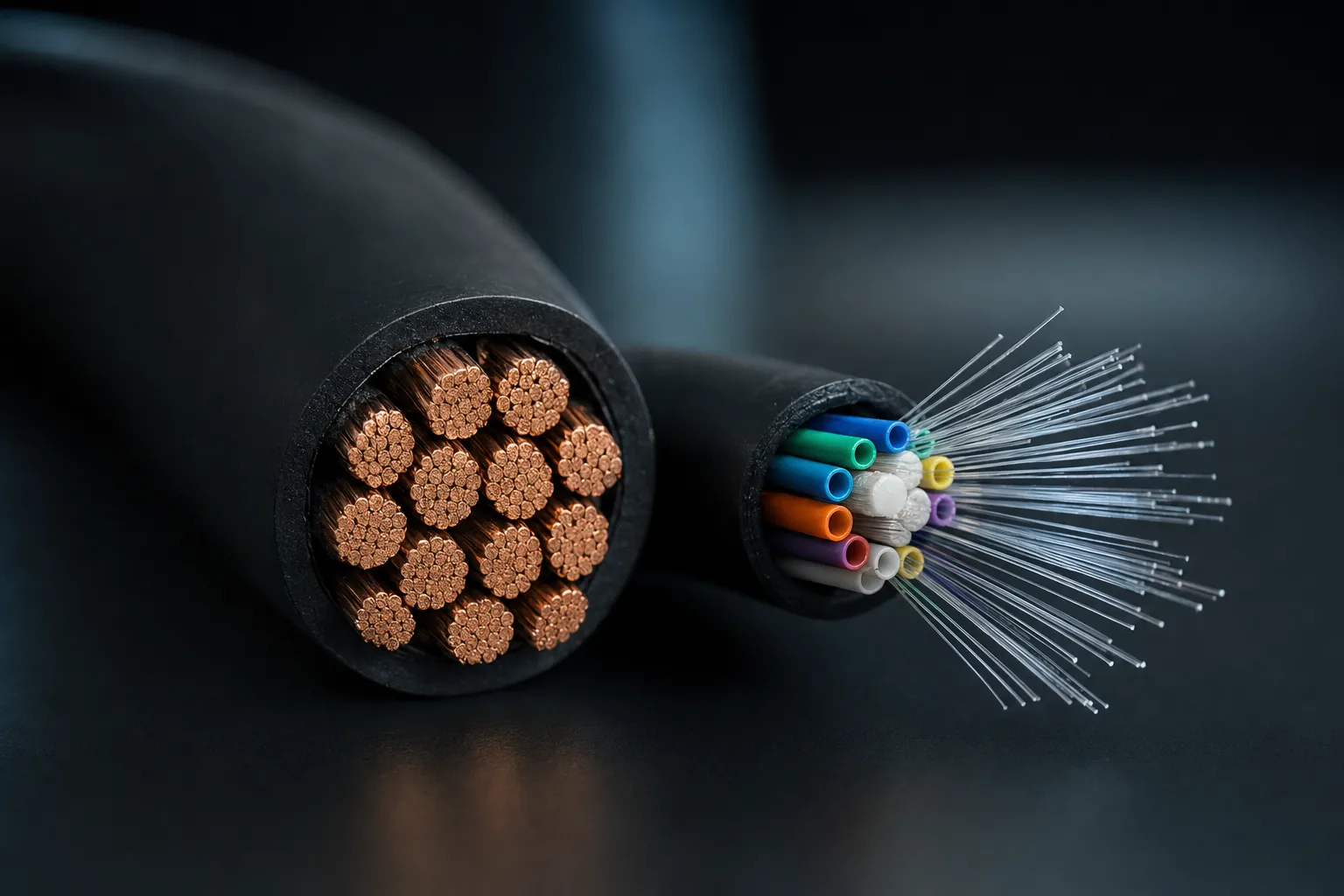
One of the most consequential decisions in any low voltage project happens before a single cable is pulled: do you run copper or fiber? The answer is rarely all one or the other. The right approach depends on distance, bandwidth requirements, budget, environmental conditions, and how long you expect the infrastructure to last. Get it wrong and you are either overspending on fiber where copper would suffice, or you are pulling copper that will need to be replaced in five years when bandwidth demands outgrow it.
This article provides a detailed, practical comparison of the four most common cable types used in physical security and enterprise infrastructure projects: Cat6, Cat6A, multi-mode fiber (OM3/OM4), and single-mode fiber (OS2). We will cover the real-world costs, performance limits, labor implications, and the scenarios where each type makes the most sense.
The Contenders: Cable Types Compared
Before diving into ROI analysis, it is important to understand what each cable type actually offers in terms of raw capability. These are the four options you will encounter on virtually every commercial project.
Cat6 (Category 6 UTP)
Cat6 is the baseline standard for modern commercial installations. It supports up to 1 Gbps at 100 meters and can handle 10 Gbps at distances up to 55 meters (though this shorter distance makes 10G over Cat6 impractical for most horizontal runs). Cat6 uses 23 AWG conductors with a spline separator between the four twisted pairs to reduce crosstalk. It is available in both UTP (unshielded) and STP (shielded) configurations, though UTP dominates in North American installations.
Cat6A (Category 6A Augmented)
Cat6A is the current recommended standard for new construction. It reliably supports 10 Gbps at the full 100-meter distance, which is its primary advantage over Cat6. The cable is physically larger and heavier, with tighter twist rates and either a foil shield (F/UTP) or additional pair shielding (S/FTP) to reduce alien crosstalk at higher frequencies. Cat6A operates at frequencies up to 500 MHz compared to 250 MHz for Cat6. The larger diameter means fewer cables per conduit and more labor to terminate, but the 10G capability at full distance makes it the right choice for any installation expected to last more than 7-10 years.
Multi-Mode Fiber (OM3/OM4)
Multi-mode fiber uses a larger core (50 microns for OM3/OM4) that allows multiple light paths (modes) to travel through the fiber simultaneously. OM3 supports 10 Gbps at up to 300 meters and 40 Gbps at up to 100 meters. OM4 extends these distances, supporting 10 Gbps at up to 400 meters and 100 Gbps at up to 150 meters. Multi-mode is typically identified by its aqua (OM3) or violet (OM4) jacket color. It uses less expensive transceivers than single-mode, making it the most cost-effective fiber option for intra-building connections.
Single-Mode Fiber (OS2)
Single-mode fiber uses a much smaller core (9 microns) that allows only a single light path. This eliminates modal dispersion, enabling dramatically longer distances: 10 Gbps at up to 10 km, 40 Gbps at up to 10 km, and 100 Gbps at up to 40 km with the right optics. Single-mode is the standard for inter-building connections, campus backbones, and any run that exceeds multi-mode distance limits. The cable itself is actually less expensive per foot than multi-mode, but the transceivers (SFP+ modules) are more expensive due to the precision laser required.
Distance and Bandwidth Comparison
| Cable Type | Max Distance | Max Bandwidth | PoE Support |
|---|---|---|---|
| Cat6 | 100m (1G) / 55m (10G) | 10 Gbps | Yes (PoE++) |
| Cat6A | 100m (10G) | 10 Gbps | Yes (PoE++) |
| OM3/OM4 | 300m-400m (10G) | 100 Gbps | No |
| OS2 (SM) | 10km+ (10G) | 100+ Gbps | No |
Distance Limitations: The 100-Meter Wall
The single biggest limitation of copper cabling is the 100-meter (328-foot) maximum distance defined by TIA/EIA-568 standards. This includes the horizontal cable (90 meters maximum) plus patch cables on each end (5 meters each). Beyond 100 meters, signal attenuation and crosstalk degrade performance to the point where reliable communication is not guaranteed.
For many security installations, the 100-meter limit is the deciding factor. Consider a warehouse or campus where the IDF closet is 150 meters from the farthest camera location. With copper, you would need to add an intermediate switch or PoE extender, both of which add cost, complexity, and potential points of failure. With fiber, you simply run the cable the full distance. Add a small media converter with PoE output at the camera end and the problem is solved cleanly.
For inter-building connections, fiber is not just preferred, it is essentially required. Running copper between buildings creates ground loop risks, lightning vulnerability, and is generally prohibited by electrical codes unless the buildings share a common ground. Single-mode fiber, being non-conductive, eliminates all of these issues and can span distances measured in kilometers rather than meters.
Bandwidth Capacity and Future Demands
Today, most IP cameras operate at bitrates between 4 Mbps and 16 Mbps, with high-end 4K cameras topping out around 25-30 Mbps. At these rates, a 1 Gbps copper uplink can handle 40-60 cameras without breaking a sweat. So why worry about 10 Gbps or 100 Gbps?
Because infrastructure lasts 15-20 years, and camera technology advances every 3-5 years. When we were pulling Cat5e in 2010, nobody anticipated the bandwidth demands of 4K cameras with AI analytics running at the edge. Today, we are seeing 8K cameras enter the market and AI-driven analytics that require multiple high-resolution streams per camera. The cameras connected to your network five years from now will almost certainly demand more bandwidth than the ones you are installing today.
Fiber provides a clear path to higher speeds without replacing cable. The same single-mode fiber that carries 10 Gbps today can carry 100 Gbps or even 400 Gbps simply by upgrading the transceivers on each end. The cable itself does not change. With copper, moving from 1G to 10G may require replacing Cat6 with Cat6A, along with all the associated labor and disruption.
Future-Proofing Math
If your cabling infrastructure costs $50,000 to install and lasts 15 years, that is $3,333 per year. If you install Cat6 today and need to replace it with Cat6A or fiber in 7 years, you are effectively paying twice: $50,000 now + $60,000 later (including removal costs). Installing Cat6A or fiber from the start may cost $60,000 upfront, but you avoid the $60,000 replacement. The "cheaper" option costs $110,000 over 15 years while the "expensive" option costs $60,000.
Total Cost of Ownership
Raw material cost is only one component of the total cost of a cabling installation. To make an accurate comparison, you need to account for materials, labor, infrastructure (pathways, conduit, cable trays), active electronics (switches, transceivers), and ongoing maintenance over the expected life of the installation.
Material Costs
Per-foot cable costs vary by manufacturer, shielding type, and riser/plenum rating. As of late 2025, typical pricing for 1,000-foot boxes of plenum-rated cable is:
- Cat6 UTP Plenum: $0.25 - $0.40 per foot
- Cat6A F/UTP Plenum: $0.45 - $0.70 per foot
- OM4 Multi-Mode (2-strand): $0.30 - $0.50 per foot
- OS2 Single-Mode (2-strand): $0.15 - $0.30 per foot
Notice that single-mode fiber is actually the cheapest cable per foot. The cost equation flips when you add connectors, patch panels, and transceivers. Fiber connectors (LC, SC, or MPO) are more expensive than RJ45 jacks, and fiber patch panels cost more than copper patch panels. SFP+ transceivers for fiber uplinks range from $15-$30 for multi-mode and $30-$80 for single-mode, compared to essentially zero for copper ports that are built into every switch.
Labor Cost Differences
Labor is often the largest single cost component in a cabling project, typically 40-60% of the total. The labor differences between copper and fiber are significant and often misunderstood.
Copper Termination
A skilled technician can terminate a Cat6 cable (punch down to patch panel or keystone jack) in about 3-5 minutes per end. Cat6A takes slightly longer, approximately 5-7 minutes, due to the shielding and the need to properly ground the drain wire. The tools are relatively inexpensive: a punch-down tool ($20-$50), cable stripper, and a basic cable tester ($200-$500). Most low voltage technicians can terminate copper with minimal training.
Fiber Termination
Fiber termination is a different skill set entirely. Field-terminated fiber connectors using mechanical splices take 10-15 minutes per connector and require a cleaver, visual fault locator, and connector kits that cost $1,000-$3,000. Fusion splicing, which produces a more reliable connection with lower insertion loss, requires a fusion splicer costing $3,000-$15,000 and takes 5-8 minutes per splice but requires more training and experience.
The alternative is to use pre-terminated fiber assemblies (pre-made patch cables or trunk cables with connectors already attached at the factory). Pre-terminated fiber eliminates field termination entirely, reducing installation time significantly. The tradeoff is that cable lengths must be ordered to specific measurements, which requires accurate site surveys before ordering. Pre-terminated assemblies are increasingly popular and are now the default approach for most commercial fiber installations.
Labor Time Per Drop (Approximate)
| Task | Copper (Cat6A) | Fiber (Pre-Term) |
|---|---|---|
| Cable Pull | 15-25 min | 10-20 min |
| Termination (both ends) | 10-14 min | 5-10 min |
| Testing & Certification | 5-8 min | 3-5 min |
| Total Per Drop | 30-47 min | 18-35 min |
When Fiber Makes Sense
Based on our experience deploying cabling infrastructure across hundreds of commercial projects, fiber is the right choice in the following scenarios:
- Backbone and riser connections: Between IDFs and MDFs, between floors, and between switches. These are the highest-bandwidth segments of your network and the most expensive to replace later. Fiber should be the default here.
- Inter-building connections: Any cable that goes outdoors or between separate structures should be fiber. Electrical isolation, lightning immunity, and distance capability all favor fiber decisively.
- Long horizontal runs (over 90 meters): If any horizontal cable run exceeds the 90-meter channel limit, fiber with a media converter at the far end is cleaner and more reliable than copper with PoE extenders.
- High-EMI environments: Manufacturing floors, substations, and areas near heavy electrical equipment produce electromagnetic interference that can degrade copper performance. Fiber is immune to EMI.
- New construction with a 15+ year lifespan: If the building will be occupied for 15 years or more, fiber to the desk (or at least to the zone) is often cheaper over the life of the building than copper that will need to be replaced mid-lifecycle.
When Copper Still Wins
Despite fiber's advantages, copper remains the right choice in many situations. Choosing fiber where copper would suffice is just as much of a mistake as choosing copper where fiber is needed.
- PoE-powered devices: IP cameras, access control readers, wireless access points, intercoms, and VoIP phones all require Power over Ethernet. Fiber cannot carry power. Any device that needs PoE requires a copper connection, either directly from a switch or via a fiber-to-copper media converter with PoE output. For most camera installations, copper to the device is still the practical standard.
- Short runs under 50 meters: For horizontal runs under 50 meters, Cat6A provides 10 Gbps capability at a fraction of the total cost of a fiber run (once you include transceivers and media converters). The performance advantage of fiber is irrelevant at these distances.
- Budget-constrained projects: When the budget simply does not allow for fiber and the associated active electronics, a well-designed Cat6A infrastructure is a perfectly capable and standards-compliant choice. Cat6A at 10 Gbps will serve most organizations well for the next decade.
- Retrofits and renovations: In existing buildings where conduit pathways are already in place for copper, switching to fiber may require new pathways, new patch panel infrastructure, and new switches with SFP ports. The cost of the infrastructure change can exceed the cost of the cable itself.
The Hybrid Approach: Best of Both Worlds
In practice, the vast majority of commercial installations use a hybrid approach. Fiber is deployed for backbone connections (MDF to IDF, building to building) while copper (Cat6A) is used for horizontal runs to end devices. This architecture leverages the strengths of each medium exactly where they matter most.
A typical hybrid design for a multi-building campus with security cameras might look like this:
- Campus backbone: Single-mode fiber between buildings, terminated in each building's MDF. 12 or 24-strand fiber trunks provide ample capacity for current and future needs.
- Building backbone: Multi-mode or single-mode fiber risers between the MDF and each IDF on different floors. 6 or 12-strand trunks are typical.
- Horizontal to cameras: Cat6A from IDF switches to camera locations. PoE is delivered over the same cable, eliminating the need for local power at each camera.
- Extended camera runs: For cameras beyond 90 meters from the nearest IDF, deploy a small fiber-fed PoE switch or media converter at an intermediate point, with short copper runs to nearby cameras.
Pro Tip: Pull Extra Fiber
When pulling fiber, always install more strands than you currently need. The marginal cost of a 24-strand cable versus a 6-strand cable is minimal (often less than $0.10/foot difference), but the labor cost of pulling a second cable later is enormous. A common best practice is to pull at least twice the number of strands you need today. Dark fiber (unused strands) is the cheapest insurance policy in infrastructure.
Testing and Certification
Both copper and fiber require testing and certification to verify performance, but the tools and processes differ significantly.
Copper testing uses a cable certifier (such as the Fluke DSX-5000 or DSX-8000) that measures insertion loss, return loss, NEXT (near-end crosstalk), FEXT (far-end crosstalk), alien crosstalk, propagation delay, and length. A full Cat6A certification test takes about 10-15 seconds per link. The certifier costs $10,000-$25,000 depending on the model and capabilities.
Fiber testing uses an optical loss test set (OLTS) for Tier 1 certification, measuring insertion loss and length. Tier 2 certification adds OTDR (Optical Time Domain Reflectometer) testing, which provides a visual trace of the fiber showing every splice, connector, bend, and anomaly along the entire length. OTDR testers range from $5,000-$20,000. A fiber Tier 1 test takes about 30-60 seconds per strand (both wavelengths), and an OTDR test takes 2-3 minutes per strand.
Regardless of medium, every cable should be tested and the results documented before the system goes live. Test results are required for manufacturer warranty claims and are often specified in the project contract. Skipping testing to save time is a false economy that invariably leads to troubleshooting headaches later.
Future-Proofing Considerations
The structured cabling you install today will be in service long after the cameras, switches, and servers it connects have been replaced multiple times. A cabling system installed in 2025 will likely still be in use in 2040. Consider what the technology landscape might look like then:
- Camera resolutions will continue to increase. 8K cameras are already available; 16K is likely within a decade. Each doubling of resolution roughly quadruples the bandwidth requirement.
- Edge AI analytics may require multiple streams per camera. Today's analytics typically use a separate sub-stream, but future systems may need full-resolution feeds for better accuracy, increasing per-camera bandwidth 2-3x.
- Wi-Fi 7 and beyond will demand multi-gigabit uplinks to access points. Wi-Fi 7 access points already support aggregate speeds exceeding 40 Gbps. The backhaul to these APs needs to keep pace.
- IoT device density will increase dramatically. Smart buildings will have sensors on every piece of equipment, every door, and every zone. While individual devices are low-bandwidth, the aggregate traffic from hundreds of IoT endpoints adds up.
Fiber is inherently more future-proof because the bandwidth capacity is limited by the electronics (transceivers), not the cable. Upgrading from 10G to 100G on the same fiber requires only changing the transceivers. Copper has a defined bandwidth ceiling determined by the cable category, and exceeding it requires new cable.
Making the Decision
The fiber vs. copper decision is not about which technology is "better." It is about matching the right medium to the right application. Our general guidelines, refined through hundreds of deployments:
Default to Cat6A for horizontal runs to PoE devices under 90 meters. It is proven, cost-effective, and supports 10G.
Default to fiber for backbone. Every MDF-to-IDF and building-to-building connection should be fiber. No exceptions.
Use single-mode for anything outdoors or between buildings. The cost difference vs. multi-mode is minimal, and the distance/bandwidth advantages are decisive.
Pull spare strands. Always install at least 50% more fiber strands than your current design requires.
Calculate 15-year TCO, not just first-year cost. The cheapest cable today may be the most expensive decision over the life of the building.
At Zimy Electronics, we approach every cabling project with a total-cost-of-ownership mindset. We do not upsell fiber where copper is appropriate, and we do not cut corners with copper where fiber is clearly the right call. Our design team will evaluate your facility, your current requirements, and your growth projections to recommend the infrastructure that delivers the best long-term value.